

For years, smartwatches have dominated the wearable technology sector, serving as the default tool for health tracking, notifications, and athletic metrics. However, they carry significant compromises: bulky form factors, bright screens that disrupt sleep, and the constant hassle of daily charging. The RingConn Gen 3 attempts to solve these pain points by packing advanced photoplethysmography (PPG) sensors, temperature monitoring, and multi-day battery life into a lightweight, screen-free titanium ring. But can it truly replace the highly interactive, screen-dependent utility of a modern smartwatch?
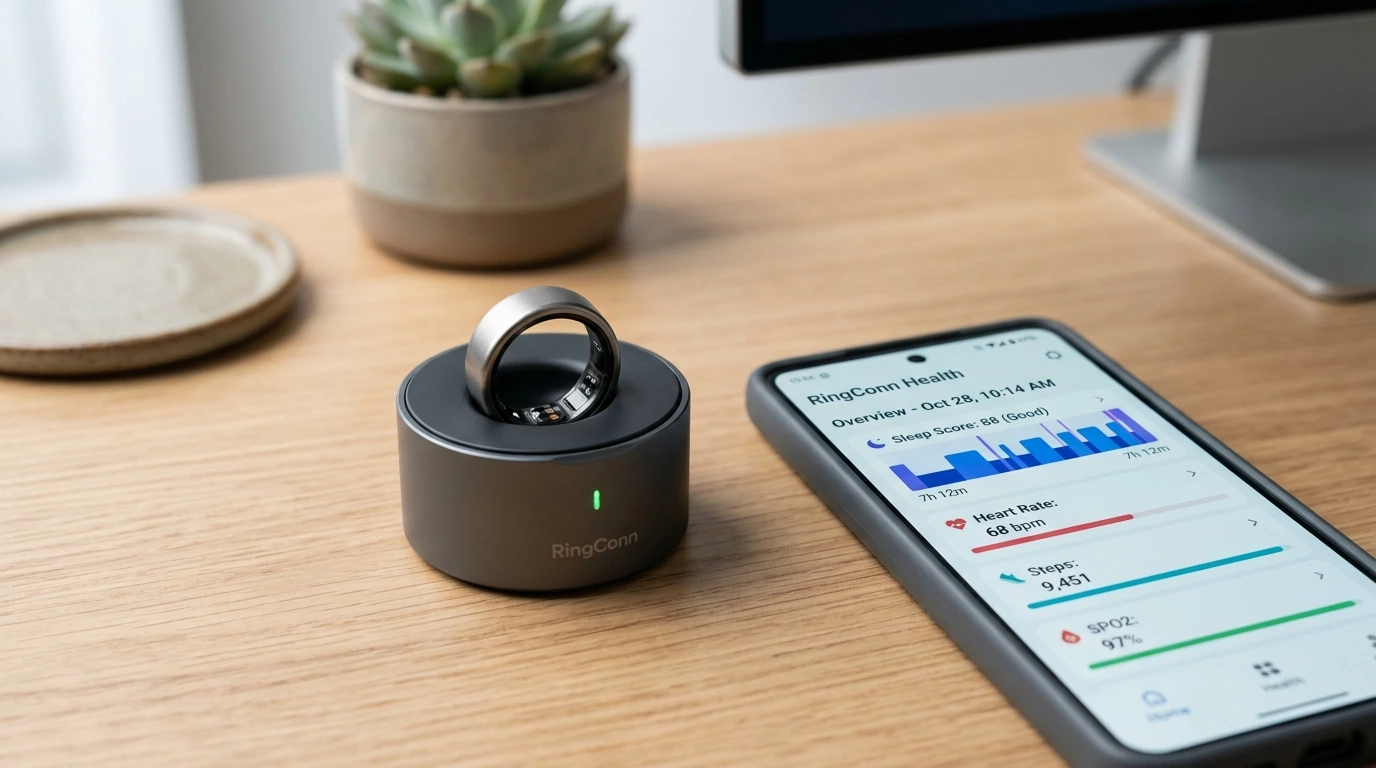
- Form Factor Optimization: Screen-free titanium build shifts health tracking from active distraction to passive background monitoring.
- Advanced PPG Accuracy: Palmar digital arteries offer high signal-to-noise ratios, delivering precise resting heart rate and SpO2 tracking.
- Battery Longevity: Lasts up to 10 days on a single charge, significantly outperforming modern smartwatches.
- Asynchronous Ecosystem: Relies on your smartphone app for detailed data viewing, requiring a shift in user interaction habits.
The Immediate Problem: Smartwatch Fatigue vs. Wearable Utility
To determine if the RingConn Gen 3 can successfully replace your smartwatch, you must evaluate what you lose when you ditch the screen. Smartwatches provide immediate haptic and visual feedback, on-wrist GPS tracking, and third-party app integration. In contrast, smart rings are designed for passive, continuous data collection.
The primary barrier to successfully transitioning to a smart ring is ensuring a perfect mechanical fit and understanding how to process raw biomarker data without a wrist-based screen. If the ring is improperly fitted or poorly calibrated, sensor drift and movement artifacts will render your health metrics useless.
Required Prerequisites and Tools Checklist
- RingConn Sizing Kit: Absolutely mandatory. Do not guess your ring size based on standard jewelry sizing.
- iOS or Android Smartphone: Bluetooth 5.2 or higher compatibility is required for seamless data synchronization.
- RingConn Companion App: Downloaded and updated to the latest 2026 stable release.
- Charging Case and USB-C Cable: Included in the retail packaging for initial hardware activation.
Step-by-Step Guide to Deploying the RingConn Gen 3
Step 1: Execute the Precision Fitting Protocol
Unlike standard bands, smart rings rely on consistent skin contact over the palmar digital arteries located on the underside of your fingers. The RingConn Gen 3 features raised interior sensor bumps that must remain stable relative to your finger.
- Wear a plastic sizing ring from the official kit for at least 24 hours. Your fingers naturally expand and contract due to temperature changes, dietary sodium levels, and sleep cycles.
- Test the fit on your index, middle, or ring finger. The index finger typically provides the most reliable PPG readings for active workouts, while the middle and ring fingers offer excellent comfort for sleep tracking.
- Verify that the sizing ring can rotate with slight resistance over your knuckle, but does not spin freely during normal hand movements. If the ring spins on its own, it is too loose, which will cause gaps in sensor coverage.
Step 2: Unbox, Power, and Initialize the Hardware
The RingConn Gen 3 ships in a low-power shipping state. You must awaken the internal microprocessor and pair it with your device.
- Plug the charging case into a USB-C power source. Place the RingConn Gen 3 inside the cradle, aligning the brass Pogo-pin charging contacts on the ring with the magnetic alignment pins in the case.
- Confirm the LED indicator on the charging case pulses, indicating the battery management system (BMS) has initiated charging. Allow it to reach 100% capacity.
- Enable Bluetooth on your smartphone. Open the RingConn App and create an account. Follow the on-screen prompts to pair the hardware over Bluetooth Low Energy (BLE).
PRO TIP: SENSOR ALIGNMENT IS CRITICAL
Always position the ring so the flat, raised sensor bumps sit directly against the underside (palm-side) of your finger. If the ring rotates and the sensors face the top of your hand, light leakage will occur, leading to fragmented heart rate and sleep staging data.
Step 3: Establish Your Biometric Calibration Baseline
During the first 7 to 10 days of continuous wear, the companion app builds a personalized baseline for your vital signs. This training window prevents false anomalies in your metrics.
- Wear the ring continuously during sleep. The onboard accelerometer and PPG sensor calculate your resting heart rate (RHR), heart rate variability (HRV), and blood oxygen saturation (SpO2) baselines.
- Synchronize the ring at least once daily. Open the app to trigger a Bluetooth sync, which offloads stored flash memory data from the ring to your phone's database.
- Input your subjective physical parameters (age, biological sex, baseline fitness levels) into the profile section to optimize the metabolic equivalent of task (MET) calculations for daily calorie burn estimates.
Step 4: Integrate with Third-Party Health Frameworks
If you are replacing a smartwatch, your existing health ecosystem (Apple Health, Google Fit, or Health Connect) needs to receive the ring's data so you do not lose your historic tracking progress.
- Navigate to the settings menu within the RingConn App.
- Select "Third-Party Integrations" and authorize write permissions for Apple Health or Health Connect.
- Prioritize RingConn as a data source in your phone's health database to prevent dual-counting issues if you occasionally wear another fitness tracker.

Real-World Operational Scenarios
Scenario A: The Active Marathon Runner
A runner transitions from a bulky GPS smartwatch to the RingConn Gen 3 to lighten their load during training runs. Because the smart ring does not contain an internal GPS antenna (which would exhaust its miniature battery in hours), it relies on tethered GPS from the runner's smartphone.
The runner starts the workout via the companion app on their phone. During the run, the ring's high-frequency PPG sensors track heart rate fluctuations, while the smartphone records the physical coordinates. The combined data is processed after the workout, yielding clean cardiovascular recovery metrics without adding weight to the wrist.
Scenario B: The Executive Managing Sleep Recovery
An office worker struggles with poor sleep but dislikes wearing a glowing, vibrating smartwatch to bed. They wear the RingConn Gen 3 on their index finger. Throughout the night, the ring's infrared and red LED sensors continuously sample blood perfusion in the digital arteries.
Because the finger has a higher density of superficial blood vessels compared to the wrist, the ring captures highly accurate autonomic nervous system (ANS) transitions. In the morning, the user opens the app to find an uninterrupted layout of their sleep cycles, resting heart rate dips, and HRV levels, without ever being awoken by an accidental wrist screen illumination.
Common Pitfalls and How to Avoid Them
- Pitfall 1: Wearing the Ring on the Thumb or Pinky. The bone density and blood vessel distribution in these fingers are poorly suited for high-accuracy PPG sensors. Stick to the index, middle, or ring fingers for consistent optical paths.
- Pitfall 2: Neglecting the Sensor Window Cleanliness. Sweat, skin oils, hand lotion, and dirt build up over the transparent epoxy coating of the sensors. Clean the interior of the ring daily with mild soap and water to prevent light scattering.
- Pitfall 3: Submerging the Ring in Harsh Chemicals. While the RingConn Gen 3 features excellent water resistance (suitable for swimming and showering), exposure to chlorine, hot tubs, or abrasive household cleaners can slowly degrade the protective outer finish and charging contacts.
Post-Implementation Verification Checklist
Once you have completed the initial setup and worn the ring for a few days, use this checklist to ensure your RingConn Gen 3 is operating optimally:
- [ ] Data Gaps Check: Review your daily heart rate graph. There should be no blank gaps longer than 5 minutes during sleep or sedentary periods.
- [ ] Sync Efficiency: Open the RingConn App; data from the previous 12 hours should fully download and render within 10 to 15 seconds over Bluetooth.
- [ ] Skin Integrity: Inspect your finger skin. There should be no signs of redness, chafing, or deep indentations from the sensor bumps. If present, switch the ring to a different finger or size up.
- [ ] Battery Drainage: Confirm the ring's battery drops by no more than 10% to 15% over a typical 24-hour continuous-wear period.
Frequently Asked Questions
Can the RingConn Gen 3 track my workouts without my phone nearby?
Yes, the ring features onboard flash memory capable of storing up to several days of basic activity, heart rate, and step data. However, for workouts requiring GPS mapping or real-time pace metrics, you must carry your phone to log the spatial coordinates.
Is there a subscription fee to access the health analytics?
No, unlike some competitors in the smart ring market, RingConn does not require a monthly subscription. All detailed metrics, sleep trends, HRV data, and future firmware updates remain free to access via the mobile companion app.
How durable is the exterior finish against scratches?
The RingConn Gen 3 uses aerospace-grade titanium with a physical vapor deposition (PVD) coating. While it is highly resistant to daily wear, contact with hard metal surfaces (such as gym barbells or keys) can cause minor surface scuffs. Wearing workout gloves or moving the ring to a non-dominant hand during heavy manual labor is recommended to keep it pristine.
