
For optimal deep learning model training, a dedicated GPU must consistently deliver a minimum of 150 TFLOPS (FP32) or 600 TFLOPS (FP16/BF16 Tensor Core performance) to be considered viable for serious research and production workloads in 2026. Anything less will quickly become a bottleneck, severely impacting iteration speed and the feasibility of training larger, more complex models. The choice extends far beyond raw FLOPS, however; memory, interconnects, and software maturity are equally critical.
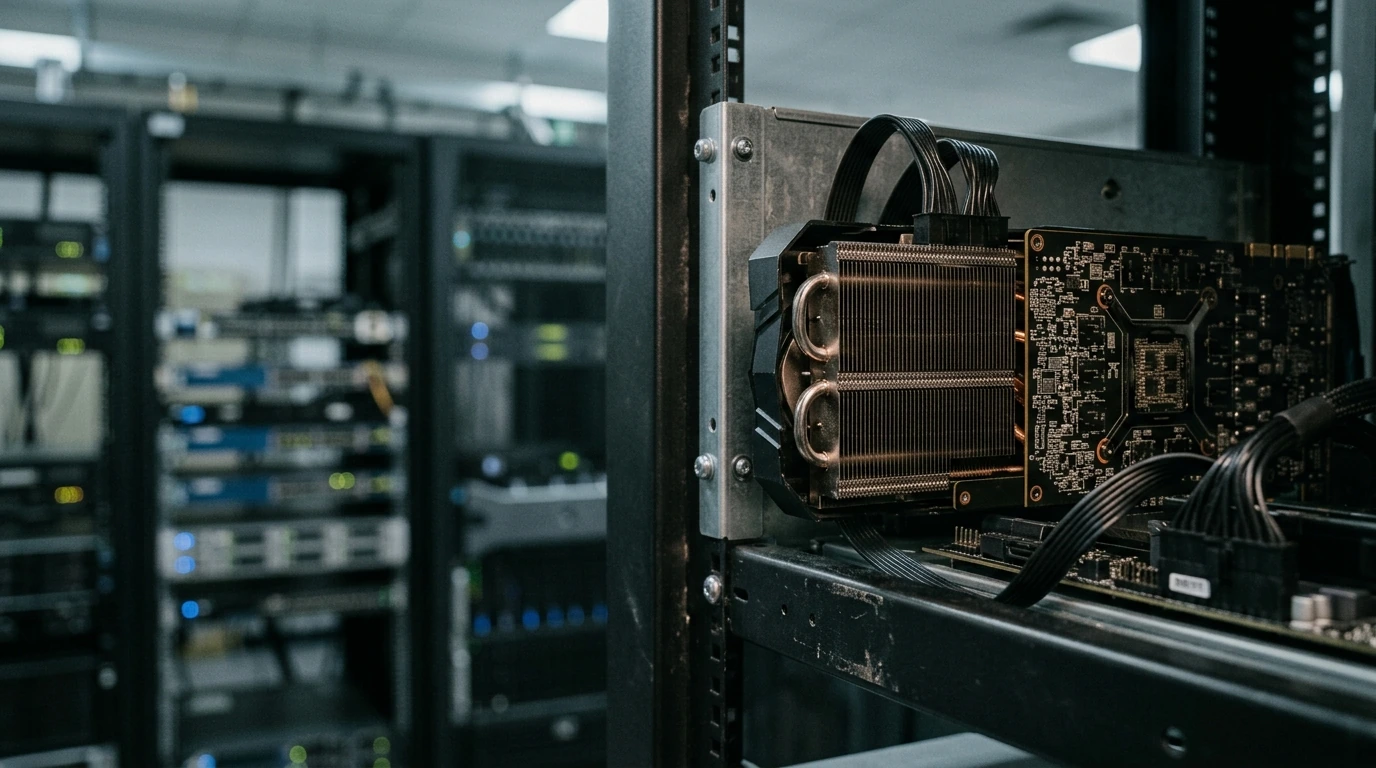
GPU Architecture and Core Types: Beyond Raw Numbers
The fundamental architecture of a dedicated GPU dictates its efficiency and capability for machine learning tasks. While general-purpose CUDA cores (or their AMD equivalents like Stream Processors) handle a broad range of computations, the real accelerators for deep learning are specialized cores:
- Tensor Cores (NVIDIA): These are paramount for matrix multiplication operations, which form the bedrock of neural network training. Modern NVIDIA GPUs, particularly from the Ampere and Hopper generations, feature significantly enhanced Tensor Cores, offering exponential speedups for FP16, BF16, and even FP8 precision training. A card without robust Tensor Core support will struggle immensely with transformer models or large language models (LLMs).
- XMX Engines (Intel): Intel's Xe-HPC architecture, found in their Ponte Vecchio and Falcon Shores GPUs, utilizes XMX (Xe Matrix eXtentions) engines, serving a similar purpose to Tensor Cores. While still maturing in terms of ecosystem adoption compared to NVIDIA, their FP8 capabilities are noteworthy.
- AI Accelerators (AMD): AMD's CDNA architecture, seen in their Instinct series, incorporates dedicated AI accelerators optimized for sparse matrix multiplication and other ML primitives. Their performance in specific workloads can be highly competitive, especially with frameworks optimized for ROCm.
A common mistake is solely comparing FP32 FLOPS. For deep learning, FP16 and BF16 performance, often driven by these specialized cores, is a far more accurate metric for real-world training speed. Always scrutinize the specifications for dedicated matrix math units.

Memory: VRAM Capacity and Bandwidth
The amount and speed of Video RAM (VRAM) directly dictate the size of models and batch sizes you can train. For state-of-the-art LLMs or high-resolution image processing, VRAM requirements are escalating dramatically:
- Capacity: For serious ML work in 2026, a minimum of 24GB of VRAM is advisable for entry-level professional use. For large-scale research or fine-tuning colossal models, 48GB, 80GB, or even 128GB (often achieved with HBM3/HBM4) per card becomes essential. Attempting to train a 70B parameter LLM on a card with only 12GB VRAM is largely impractical due to constant memory swapping or requiring extreme quantization.
- Bandwidth: High memory bandwidth is crucial for feeding data to the compute units quickly. GDDR6X offers significant improvements over GDDR6, but High Bandwidth Memory (HBM3 or newer HBM4) provides orders of magnitude greater bandwidth, albeit at a higher cost. For data-intensive workloads, HBM-equipped cards often outperform those with higher VRAM capacity but lower bandwidth.
Overlooking VRAM capacity or bandwidth is a critical error, often leading to out-of-memory (OOM) errors or severely bottlenecked training performance, even on GPUs with high TFLOPS ratings.

Interconnect and Scalability: Multi-GPU Setups
For accelerating large models, multi-GPU training is standard. The interconnect technology between GPUs and the CPU, as well as between GPUs themselves, is vital:
- PCIe Generation: PCIe Gen 5 is now common, and Gen 6 is emerging in high-end platforms. This interface connects the GPU to the CPU and system RAM. Higher generations offer increased bandwidth, reducing data transfer bottlenecks, especially when loading datasets or model checkpoints. Ensure your motherboard and CPU support the latest PCIe standard your chosen GPUs utilize.
- GPU-to-GPU Interconnects: Technologies like NVIDIA's NVLink and AMD's Infinity Fabric enable high-speed direct communication between GPUs, bypassing the slower PCIe bus. This is indispensable for distributed training strategies that require frequent data exchange between cards, such as model parallelism or large batch sizes. Without these, multi-GPU setups often perform as N individual GPUs rather than a cohesive, accelerated unit.
A single, powerful GPU is often preferable to multiple underpowered cards without efficient interconnects, as the communication overhead can negate any theoretical gains.

Power, Cooling, and Form Factor: Practical Constraints
High-performance GPUs are power-hungry and generate significant heat. Ignoring these practicalities leads to instability and reduced lifespan:
- Thermal Design Power (TDP): Top-tier ML GPUs can have TDPs exceeding 700W. This necessitates a robust power supply unit (PSU) with ample headroom and a dedicated circuit in your facility.
- Cooling Solution: Air cooling is sufficient for some consumer cards, but professional-grade ML GPUs often demand advanced cooling. Blower-style coolers are common in server environments, while open-air designs are popular for workstations. For multi-GPU systems, liquid cooling (AIO or custom loop) is increasingly becoming a necessity to maintain optimal temperatures and prevent thermal throttling, especially in dense server racks.
- Form Factor: Consider the physical dimensions and slot requirements. Many high-end GPUs are 3-slot designs, limiting the number of cards you can fit into a standard workstation or server chassis.
Underestimating the cooling requirements is a frequent oversight. A GPU that constantly throttles due to overheating will never deliver its advertised performance, regardless of its specifications.
Software Ecosystem and Driver Maturity
Hardware is only as good as the software that drives it. NVIDIA's CUDA platform remains the industry standard, offering unparalleled framework support and a vast ecosystem of libraries (cuDNN, NCCL, etc.). While AMD's ROCm and Intel's oneAPI are making significant strides, their adoption and maturity, particularly for cutting-edge research, can still lag:
- Framework Compatibility: Ensure your chosen GPU is well-supported by popular ML frameworks like TensorFlow, PyTorch, JAX, and MXNet. NVIDIA's CUDA typically offers the broadest and most stable support.
- Driver Stability: Stable, frequently updated drivers are crucial. Issues with drivers can lead to obscure errors, performance regressions, and significant debugging time. NVIDIA generally has a strong track record here for their professional cards.
- Community Support: A larger community means more readily available solutions to common problems and more shared resources for optimization.
A Step-by-Step Guide to Setting Up Enterprise AI Chatbot Platforms for Your Business →
Cost-Benefit Analysis: Balancing Performance and Budget
The cost of dedicated ML GPUs can range from a few thousand dollars for high-end consumer cards to tens of thousands for professional accelerators. Evaluate your specific needs:
- Workload Type: Are you training small experimental models, or deploying large-scale production systems?
- Scalability Needs: Do you anticipate needing multiple GPUs, or will a single powerful card suffice for now?
- Total Cost of Ownership (TCO): Factor in not just the GPU price, but also power consumption, cooling infrastructure, and potential downtime due to hardware or software issues. Sometimes, investing more upfront in a robust, well-supported platform saves significant operational costs later.
Choosing the right dedicated graphics card for machine learning in 2026 is a multi-faceted decision that demands a deep understanding of architectural nuances, memory demands, system integration, and software ecosystem maturity. Prioritize specialized core performance over general FLOPS, ensure ample high-bandwidth VRAM for your target models, and plan for robust power and cooling. Critically, do not underestimate the value of a mature and stable software stack. By meticulously evaluating these factors, practitioners can build a computational foundation that truly accelerates their machine learning endeavors, rather than hindering them with unforeseen bottlenecks or compatibility frustrations.
link : Navigating the GPU Landscape: Critical Selection Factors for Machine Learning Workloads in 2026

No comments: