
The boundary between stationary desktop powerhouses and portable laptops has officially dissolved. For modern developers, data scientists, and CAD engineers, the requirements for a mobile computer go far beyond basic web browsing and text editing. Compiling massive codebases, training local Large Language Models (LLMs), rendering complex mechanical assemblies, and running nested virtual machines demand a highly specialized class of hardware: the next-generation mobile workstation.
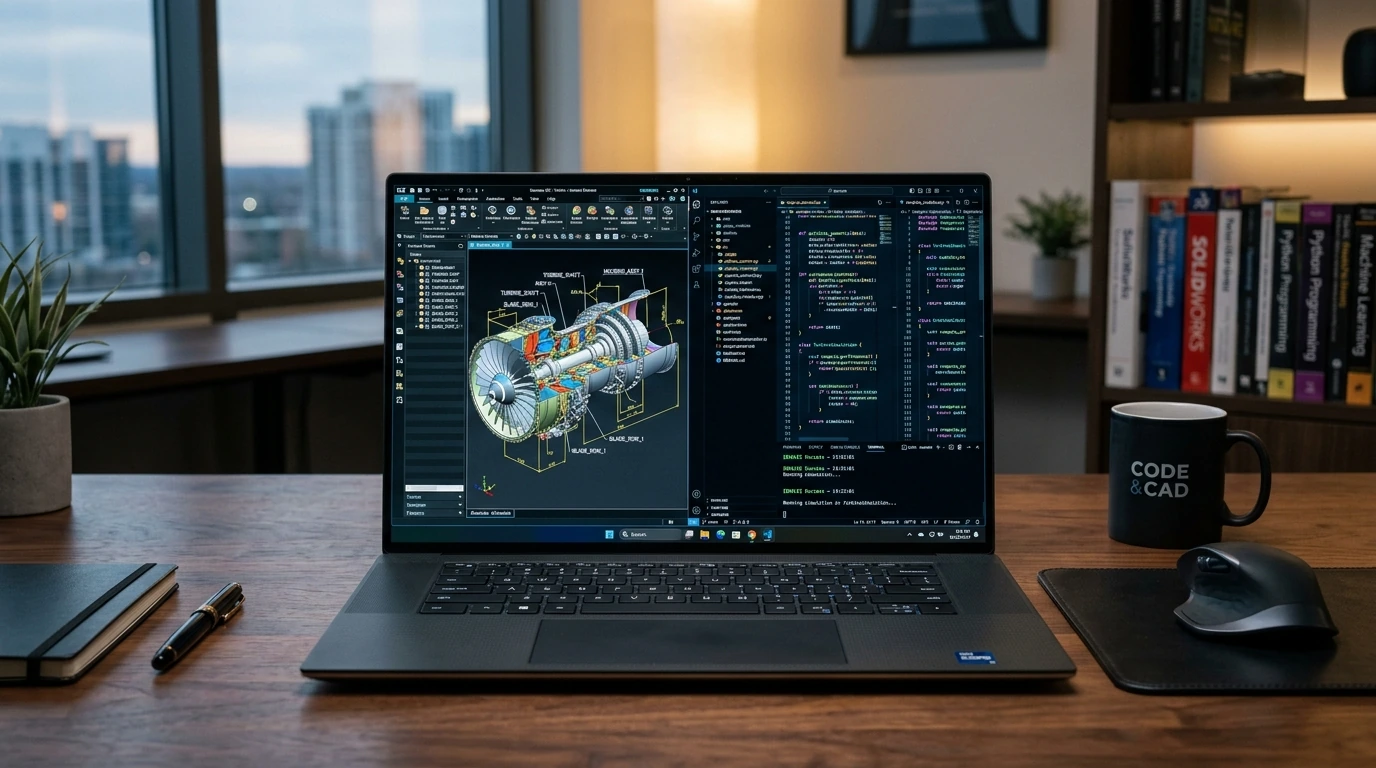
Pro Strategies: Selecting the Right Architecture for Your Workflow
Choosing a mobile workstation requires analyzing your specific computational bottlenecks. A machine optimized for compiling millions of lines of C++ code requires a vastly different configuration than one designed for finite element analysis (FEA) or real-time 3D rendering.
- Prioritize High Sustained All-Core Clocks over Burst Speed: For compilation and rendering, short-burst turbo speeds are deceptive. Look for workstations with robust vapor-chamber cooling systems and a high thermal design power (TDP) ceiling (at least 45W+ sustained CPU power). This prevents thermal throttling, yielding up to a 25% performance improvement during long render tasks.
- Evaluate Memory Topology (CAMM2 vs. SO-DIMM): Next-gen workstations are transitioning to the CAMM2 (Compression Attached Memory Module) standard. CAMM2 allows for thinner chassis designs while supporting faster DDR5 speeds (up to 6400MHz and beyond) in dual-channel configurations on a single module, reducing latency and boosting memory-bandwidth-intensive tasks like data processing.
- Match GPU Architecture to Your Software Stack: Do not buy a gaming GPU for professional engineering suites. Professional GPUs (such as NVIDIA RTX Ada Generation) feature specialized drivers certified for SolidWorks, AutoCAD, and ANSYS, ensuring stability and enabling hardware-accelerated features like ECC VRAM protection.
PRO CALLOUT NOTE: The ECC VRAM Advantage
If your engineering workflows involve running simulations that take hours or days to complete, ensure your GPU and CPU support ECC (Error-Correcting Code) memory. A single silent memory bit-flip can corrupt an entire simulation run, costing valuable time and compute resources.
Next-Gen Mobile Workstation Comparison
To help you navigate the landscape of premium portable computing, the table below compares the leading enterprise-grade workstation platforms configured for heavy development and engineering workloads.
| Workstation Model | Target Audience | Max Memory Standard | Primary Strengths |
|---|---|---|---|
| Lenovo ThinkPad P1 Gen 8 | Software Architects, Mobile Devs | 96GB DDR5 (LPCAMM2) | Ultra-portable chassis, legendary keyboard, high-speed RAM. |
| Dell Precision 7690 | CAD/CAE Engineers, Data Scientists | 128GB DDR5 (CAMM2) | Highly customizable, exceptional GPU thermal limits, ECC options. |
| HP ZBook Fury 16 G11 | 3D Animators, AI Researchers | 128GB DDR5 (4x SO-DIMM) | Tool-less expansion, dual-drive RAID support, desktop-class GPU. |
| Apple MacBook Pro 16" (M-Max) | iOS/Full-Stack Devs, ML Engineers | 128GB Unified Memory | Unmatched battery efficiency, massive unified memory bandwidth for LLMs. |
Advanced Optimization Shortcuts for Maximum Output
Owning a high-end mobile workstation is only half the battle; configuring it for optimal performance under load is where the real gains are made.
- Optimize WSL2 (Windows Subsystem for Linux) Memory Allocations: By default, WSL2 can consume up to 50% of your system RAM, occasionally causing host-side slowdowns. Create a
.wslconfigfile in your user directory and limit memory and swap allocation specifically to prevent performance degradation:[wsl2] memory=32GB # Limit VM memory to 32GB processors=8 # Limit CPU usage to 8 virtual processors guiApplications=false - Configure GPU Direct Access for ML Workloads: If you run PyTorch or TensorFlow locally, bypass integrated graphics entirely. Set your workstation’s display mode to "Discrete Only" (MUX Switch) in the BIOS. This eliminates the latency of passing frames through the integrated GPU, boosting compute performance and preventing display stutter during heavy training runs.
- Tweak Power Profiles via OEM Utilities: Use tools like Lenovo Commercial Vantage or Dell Optimizer to configure thermal profiles. Setting the system to "Ultra Performance" overrides standard OS power curves, allowing the fans to ramp up aggressively early to sustain maximum boost clocks for longer periods.
Rapid Efficiency Recap
When shopping for or configuring your next-generation mobile workstation, keep these core principles in focus:
- CPU Core Count vs. Speed: Choose higher single-core boost clocks for CAD/modeling; prioritize high multi-threaded core counts for compilation, rendering, and virtualization.
- RAM Architecture: Opt for CAMM2/LPCAMM2 configurations where available to benefit from higher memory bandwidth and lower system profiles.
- Cooling Capability: Always check independent reviews for sustained power limits (TDP) to ensure the chassis can actually dissipate the heat generated by its high-end components.
Frequently Asked Questions
What is the difference between a gaming laptop and a mobile workstation?
While both feature high-performance hardware, mobile workstations focus on stability, durability, and computational accuracy. Workstations use professional GPUs with certified drivers, support ECC memory to prevent system crashes, offer longer warranty options, and feature enterprise-grade security chips (like vPro and TPM).
Why is CAMM2 memory preferred over traditional SO-DIMM in newer laptops?
CAMM2 allows memory modules to be placed closer to the CPU, reducing trace lengths. This allows for significantly higher memory speeds (DDR5 6400MHz+) while maintaining dual-channel performance in a single, ultra-thin module, drastically improving data-heavy workflows.
Can I run local AI models on a mobile workstation?
Yes. By pairing a workstation with a high-VRAM GPU (such as the NVIDIA RTX 5000 Ada with 16GB VRAM) or opting for an Apple MacBook Pro with unified memory (up to 128GB), you can run and fine-tune medium-sized LLMs locally without relying on cloud APIs.
link : Next-Gen Mobile Workstations: High-Performance Laptop Guide for Developers and Engineers

No comments:
Note: only a member of this blog may post a comment.