

High ambient temperatures combined with intensive processing loads can quickly cause your iPhone to thermal throttle, dim its screen, or shut down entirely. Because Apple designs the iPhone to dissipate heat passively through its aluminum or titanium frame, any external heat source or heavy internal workload directly impacts the device's performance. Understanding how to manage these thermal limits preserves your battery's long-term health and prevents sudden performance drops during critical moments.
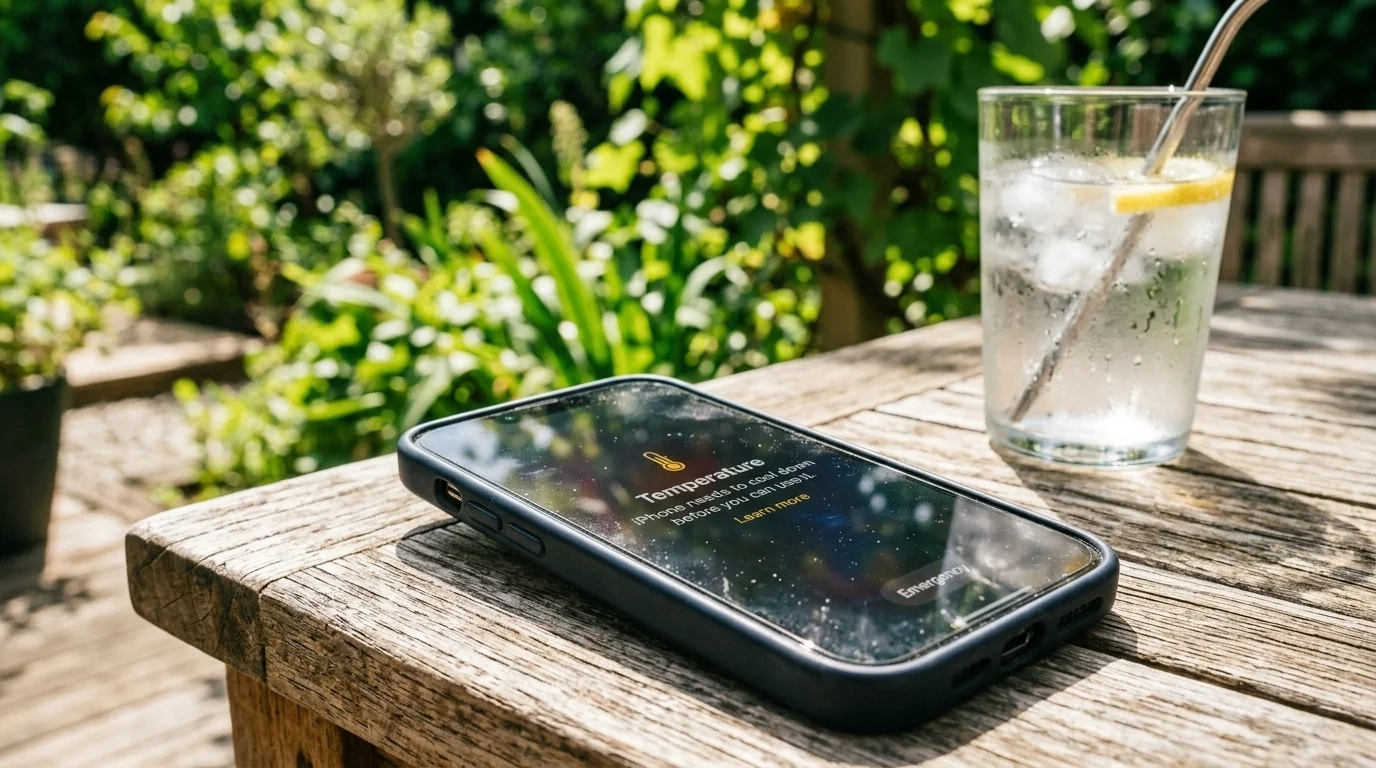
- Ambient Limits: iPhones operate best between 0° and 35°C (32° to 95°F); temperatures above this can permanently degrade battery capacity.
- Remove Cases: Thick protective cases trap heat, acting as insulation during heavy tasks like gaming or fast charging.
- Optimize Settings: Capping game frame rates to 60 FPS and lowering screen brightness significantly reduces thermal output.
- Avoid Thermal Shock: Never place a hot iPhone in a refrigerator or freezer, as rapid temperature drops cause internal condensation.
The Science of iPhone Heat Dissipation
Unlike PCs or gaming consoles, the iPhone does not have internal fans. It relies entirely on passive conduction to pull heat away from the A-series system-on-chip (SoC) and the battery, transferring it to the outer casing where it dissipates into the surrounding air.
When the internal temperature crosses safe thresholds, iOS automatically initiates protective measures to prevent hardware damage. You will first notice the screen dimming (even if brightness slider is at maximum), followed by sluggish performance (thermal throttling), slower wireless charging, and eventually, a black warning screen stating "iPhone needs to cool down before you can use it."
Scenario 1: The Outdoor Summer Heatwave (GPS & Direct Sunlight)
Imagine driving on a hot summer afternoon. Your iPhone is mounted on the windshield, running a GPS navigation app, streaming music via Bluetooth, and plugged into a fast car charger. This scenario is a perfect storm for overheating. The phone is subjected to direct solar radiation through the glass, high ambient cabin temperature, and the heat generated by simultaneous charging and dual-antenna usage (GPS and cellular data).
How to Prevent Overheating in the Car:
- Use an Air Vent Mount: Position your phone mount in front of an active air conditioning vent. The cool airflow directly counteracts the heat generated by the screen and processor.
- Avoid Windshield Mounting: Windshields act as magnifying glasses. Move the mount lower onto the dashboard or console out of direct sunlight.
- Charge Wisely: Avoid using fast wireless MagSafe chargers on hot days. Qi and MagSafe charging generate substantial inductive heat. Use a wired connection instead, or wait to charge until you reach your destination.
Scenario 2: The High-Frame-Rate Gaming Session
Consider playing a graphically demanding game like Genshin Impact or Call of Duty: Warzone Mobile at maximum settings. The GPU operates at peak capacity, drawing maximum current from the battery. If you play while plugged into a wall charger, the heat from the power delivery system combines with the silicon heat, pushing the device past its thermal limits within minutes.
Actions to Cool Down Mobile Gaming:
- Reduce Graphics Settings: Lower the resolution from "High" to "Medium" and cap the frame rate at 60 FPS instead of 120 FPS. The visual difference is often negligible on a mobile screen, but the thermal savings are massive.
- Strip the Case: Heavy-duty cases made of rubber or thick plastic act as thermal blankets. Strip the case off during long gaming sessions to allow the metal chassis to radiate heat freely.
- Play on Wi-Fi: Cellular modems (especially 5G) consume significantly more power and generate more heat than Wi-Fi. Switch to airplane mode with Wi-Fi enabled when gaming at home.
- Invest in an Active Cooler: If you are a dedicated mobile gamer, consider a clip-on Peltier cooling fan. These accessories actively chill the back of the phone using thermoelectric cooling plates.
Comparing Heat Sources and Mitigation Strategies
Different activities stress different components of your iPhone. The table below outlines common thermal triggers and the most effective ways to address them.
| Activity / Factor | Thermal Risk Level | Primary Heat Source | Best Mitigation Strategy |
|---|---|---|---|
| Direct Sunlight + GPS | Critical | Ambient Heat & Display | Move to shade; use AC vent mount |
| 3D Gaming on 5G | High | GPU & Cellular Modem | Switch to Wi-Fi; cap FPS to 60 |
| Fast Charging (20W+) | Medium-High | Battery Chemistry | Use 5W/12W charger; remove case |
| 4K Video Recording | High | ISP & Storage Write | Record in 1080p; keep clips short |
The Danger of Rapid Cooling (Crucial Edge Case)
When an iPhone becomes burning hot to the touch, a common instinct is to cool it down as fast as possible by placing it in front of an air conditioner, putting it in the refrigerator, or even splashing it with cold water (since modern iPhones are water-resistant).
This is a dangerous mistake. Rapidly transitioning an iPhone from a high temperature (say, 45°C / 113°F) to a freezing environment (like a 4°C / 39°F fridge) causes the warm air trapped inside the sealed chassis to condense into liquid water droplets. This internal condensation can short-circuit the logic board, destroy the face ID sensors, and permanently ruin the display.
Instead, cool the phone down gradually. Turn it off, remove the case, set it in a shaded indoor area, and let a standard desk fan blow ambient air over the back of the device.
A Simple Decision Framework for Thermal Management
If your iPhone is starting to feel warm, ask yourself these three questions to quickly diagnose and resolve the issue:
- Is it charging? If yes, unplug it immediately. Let it cool down before resuming charging, preferably using a lower-wattage power adapter.
- Are you in direct sunlight? If yes, move yourself and the device to a shaded area or pocket. Screen brightness automatically spikes to maximum outdoors, generating immense heat.
- Are you running intensive apps? If you are gaming, editing video, or using AR apps, close them down and let the phone rest for five minutes.
Frequently Asked Questions
Can overheating permanently damage my iPhone battery?
Yes. Lithium-ion batteries are highly sensitive to heat. Exposing your iPhone to temperatures above 35°C (95°F) can permanently accelerate capacity degradation, meaning your battery will hold less charge over time even after it cools down.
Why does my iPhone screen dim when I am outside in the summer?
This is an automatic thermal protection mechanism. When the internal temperature rises, iOS dims the display backlighting to reduce power consumption and heat output, even if your brightness slider shows it is set to the maximum level.
Is it safe to use a phone cooler while gaming?
Yes, active cooling accessories (like magnetic Peltier coolers) are safe and highly effective. They cool the external chassis of the phone, allowing the internal processor to maintain high performance without thermal throttling.
Does Low Power Mode help prevent overheating?
Yes. Low Power Mode reduces CPU and GPU performance, disables background app refresh, and limits display refresh rates to 60Hz on Pro models. This dramatically reduces the electrical current drawn from the battery, lowering overall thermal output.
