

Seeing your iPhone's maximum battery capacity drop can trigger immediate anxiety about your device's performance and resale value. While chemical degradation is an inevitable characteristic of all lithium-ion batteries, the rate of this decay is largely within your control. By understanding the science of battery wear and adjusting your daily habits, you can keep your iPhone running efficiently for years without premature hardware replacements.
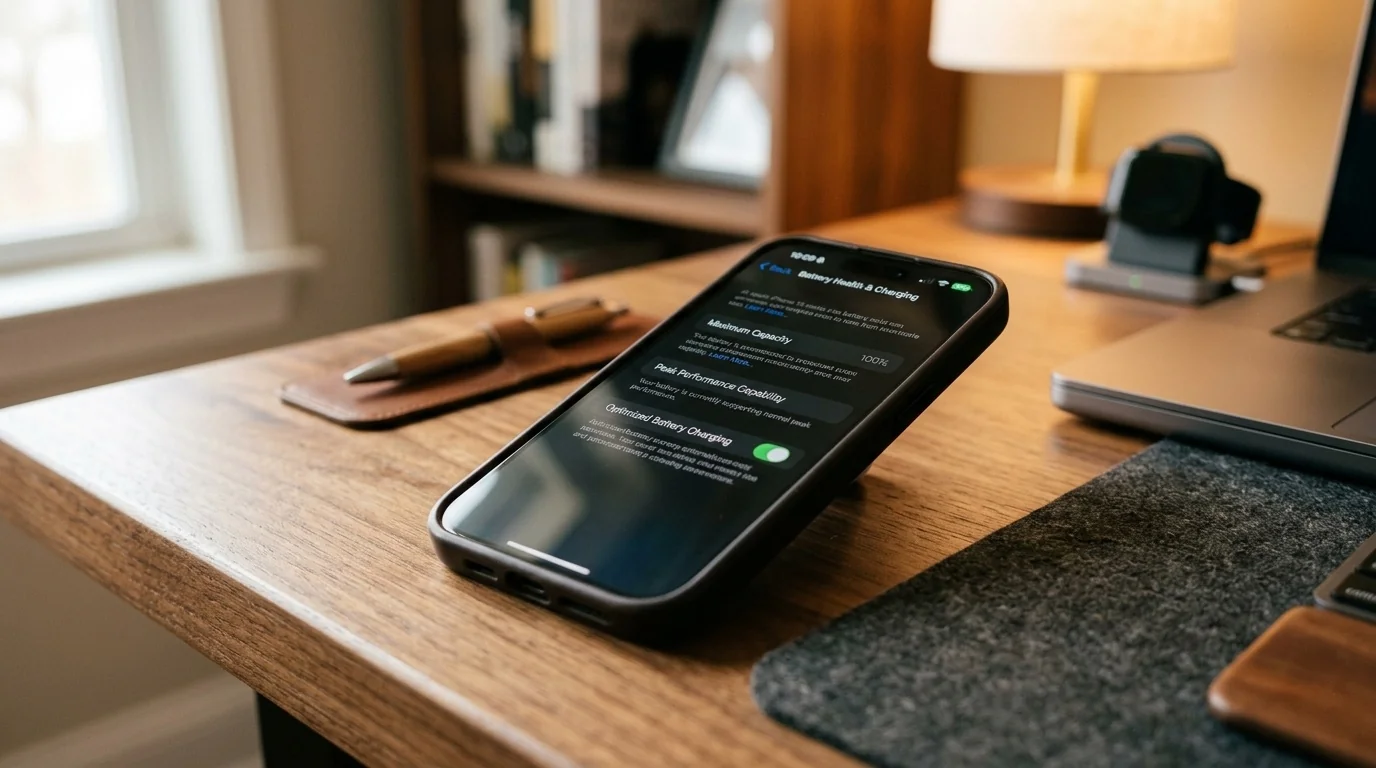
- Avoid extreme temperatures, particularly ambient heat above 35°C (95°F), which causes permanent battery degradation.
- Keep your battery level between 20% and 80% whenever possible to minimize high-voltage stress on lithium-ion cells.
- Utilize built-in iOS features like "Optimized Battery Charging" or the "80% Limit" on newer iPhone models.
- Avoid intense processing activities—such as gaming or 4K video recording—while fast-charging to prevent excessive heat buildup.
The Science of Battery Wear: Why Capacity Drops
iPhones use lithium-ion battery technology because it charges faster, lasts longer, and has a higher power density than older battery types. However, these cells degrade chemically over time. As a lithium-ion battery ages, the amount of charge it can hold diminishes, leading to fewer hours of usage between charges.
Two primary factors accelerate chemical aging: voltage stress and thermal stress. High voltage occurs when the battery is completely full (100%) or completely empty (0%). Thermal stress happens when the internal battery temperature rises beyond safe operating thresholds. Minimizing these two stressors is the secret to preserving long-term battery health.
The Golden Rule of Charging: The 20-80% Range
To maximize your battery's lifespan, try to keep its charge level between 20% and 80%. Charging your phone to 100% and leaving it plugged in keeps the battery under high tension, which speeds up chemical degradation. Conversely, letting the battery drop below 20% increases internal resistance and strains the cell.
Modern iPhones running recent iOS versions offer built-in tools to help manage this automatically:
- Optimized Battery Charging: This feature learns your daily charging routine. It charges your iPhone to 80%, pauses, and then finishes charging to 100% just before you normally wake up or start using your phone.
- 80% Limit: Available on newer models, this hard limit prevents the phone from charging past 80% entirely, ensuring the battery never experiences maximum voltage stress.
Real-World Scenarios: Managing Habits in Daily Life
To understand how these principles apply in practice, let's look at two common user habits and how they impact battery health.
Scenario A: The Overnight Charger
Many users plug their iPhone into a high-wattage fast charger on their nightstand before going to sleep. Without optimization, the phone reaches 100% in about an hour and then sits at maximum voltage for the next seven hours. By enabling Optimized Battery Charging, iOS holds the charge at 80% for most of the night, reducing the time spent at maximum voltage and significantly extending the battery's lifespan.
Scenario B: The Dashboard Navigator
Consider a driver who mounts their iPhone to a car dashboard to use GPS on a sunny day while keeping the phone plugged into a car charger. This scenario combines three major battery killers: high ambient heat from direct sunlight, processing heat from GPS rendering, and charging heat. The battery temperature can easily exceed 45°C (113°F). To prevent damage, the driver should mount the phone near an air conditioning vent to keep it cool and avoid charging it while using demanding navigation apps in direct sunlight.
Comparing Charging Methods and Their Impact
Different charging methods generate varying levels of heat and voltage stress. The table below outlines how common charging setups affect battery longevity.
| Charging Method | Heat Level | Voltage Stress | Long-Term Health Impact |
|---|---|---|---|
| Standard 5W USB Charger | Very Low | Moderate to High (if left at 100%) | Excellent (Highly recommended for overnight charging) |
| Fast Charging (20W+ USB-PD) | Moderate to High | High (Charges quickly to 80%) | Good (Safe when managed by iOS thermal throttling) |
| MagSafe / Qi Wireless Charging | High (due to induction inefficiency) | Moderate to High | Fair (Generates more heat than wired charging) |
The Trade-Off: Daily Runtime vs. Long-Term Lifespan
When deciding how strictly to manage your battery health, you must weigh daily convenience against long-term device longevity. For example, enabling the 80% Limit means you start your day with 20% less battery capacity. If you work at a desk with easy access to chargers, this trade-off is highly beneficial. However, if you travel frequently or spend long days away from power outlets, charging to 100% is necessary to ensure your phone lasts through the day.
If you plan to upgrade your iPhone every 12 to 18 months, micro-managing your battery health may not be worth the effort, as the battery will likely remain above 85% capacity during your ownership. On the other hand, if you keep your devices for three to five years, practicing good charging hygiene will save you the cost and hassle of a professional battery replacement down the line.
Settings Adjustments to Reduce Battery Drain
Reducing daily power consumption indirectly preserves battery health by reducing the number of charge cycles your iPhone goes through. Consider adjusting these settings:
- Manage Background App Refresh: Go to Settings > General > Background App Refresh and turn it off or limit it to Wi-Fi only to prevent idle power draw.
- Optimize Location Services: Change app permissions to "While Using the App" instead of "Always" in Settings > Privacy > Location Services.
- Use Dark Mode: On iPhones with OLED screens, Dark Mode saves significant energy because black pixels do not consume power.
- Enable Auto-Brightness: This prevents the screen from running at unnecessarily high brightness levels, which drains battery and generates heat.
Frequently Asked Questions
Does fast charging ruin my iPhone battery?
No, fast charging does not inherently ruin your battery. iPhones are designed to fast-charge quickly up to 80% and then slow down significantly to protect the battery from heat and voltage stress. However, fast charging does generate more heat than standard charging, so it is best to avoid using your phone for heavy tasks while fast-charging.
Should I close background apps to save battery?
No, constantly closing background apps actually hurts battery life. iOS is designed to freeze background apps in a low-power state. When you force-close an app and reopen it, the CPU has to reload all the data into the system memory, which consumes more power than simply waking it from its suspended state.
Is it bad to use my iPhone while it is charging?
Light tasks like reading an article or sending text messages while charging are perfectly fine. However, playing graphic-intensive games, streaming high-definition video, or exporting files while charging will generate excessive heat, which can permanently damage your battery capacity.
At what percentage should I replace my iPhone battery?
Apple generally considers a battery worn out when its maximum capacity drops below 80%. At this point, you may experience shorter daily usage times, and iOS may enable performance management features to prevent unexpected shutdowns.
