

Laptop hinges are subjected to mechanical stress every single day, yet they remain one of the most neglected components of portable computers. When a hinge fails, it rarely stops at a stiff lid; it frequently tears through internal plastic mounts, severs fragile display cables, and cracks the screen itself. Learning how to properly handle and maintain your laptop's physical structure can extend its lifespan by years and save you from costly repairs.
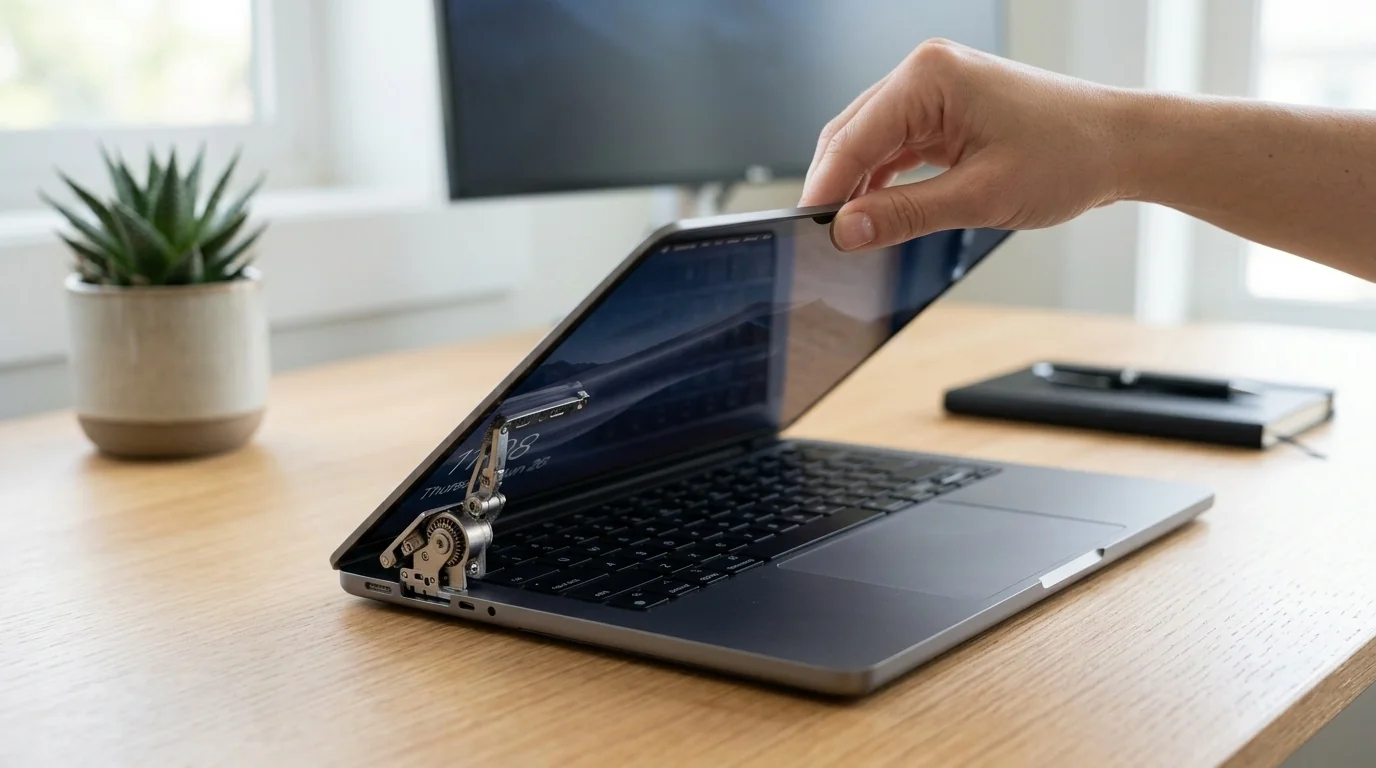
Key Takeaways
- Always open from the center: Grabbing the screen by a corner twists the display panel and places uneven torque on a single hinge.
- Never lift by the screen: Carrying your laptop by its display puts the entire weight of the chassis onto the delicate hinge mounts.
- Avoid overstuffed bags: Compression in a tight backpack squeezes the screen against the keyboard, straining the hinge joints.
- Watch for early warnings: Creaking, clicking, or a separating bezel indicates structural damage that must be addressed immediately.
The Anatomy of a Laptop Hinge Failure
To prevent hinge damage, it helps to understand why they break. Most modern laptops feature steel hinges anchored to a plastic or aluminum chassis. The metal hinge itself rarely snaps; instead, the failure occurs at the anchor points.
Manufacturers typically use brass threaded inserts (called bosses) molded directly into the plastic housing of the display cover or the lower palm rest. Over time, the physical resistance of the metal hinge increases due to dust accumulation or dry factory grease. When you open the laptop, the force required to rotate the stiff hinge exceeds the strength of the plastic holding the brass inserts. The plastic breaks, the brass inserts pull free, and the hinge separates from the chassis.
Practical Ways to Protect Your Laptop Hinge
1. Master the "Center-Grip" Opening Technique
The single most common cause of premature hinge wear is opening the laptop from the top-left or top-right corner. When you pull from one side, you create an uneven lever arm. This bends the display panel slightly and concentrates almost all the rotational force onto the opposite hinge. Over hundreds of cycles, this uneven force fatigues the plastic mounts. Always place your thumb in the center notch of the screen bezel and lift smoothly.
2. Respect the Maximum Angle of Rotation
Every laptop has a designed limit to how far back the screen can tilt. Standard laptops usually stop between 110 and 135 degrees, while some business models lay flat at 180 degrees. Forcing a screen past its physical limit places immense leverage on the hinge anchors, easily snapping the plastic threads. If you feel resistance when tilting the screen back, stop immediately.
3. Transport and Storage Best Practices
How you store and carry your laptop dictates how long its physical structure will last. Pressure from the outside can push the hinge joints out of alignment.
- Use a dedicated sleeve: A padded sleeve protects the edges and prevents external items from wedging into the hinge gap.
- Do not overstuff your backpack: Squeezing a laptop into a bag packed tight with heavy textbooks or chargers forces the screen assembly against the keyboard, placing constant lateral stress on the hinges.
- Keep the lid closed when moving: Never walk around with the laptop open. The motion of walking creates a pendulum effect, flexing the hinges with every step.
Real-World Scenarios
Scenario A: The College Commuter
Sarah packs her thin-and-light laptop into her backpack alongside heavy binders, a water bottle, and a power brick. Because the bag is tightly packed, the laptop chassis is constantly compressed. Over three months, the constant pressure forces the screen bezel to separate slightly from the display panel. One morning, as she opens the laptop from the right corner, the weakened plastic anchor snaps completely. Lesson: Pack light, use a rigid laptop compartment, and always lift from the center.
Scenario B: The Desk-Bound Workstation
David uses his 17-inch workstation laptop on his desk. He rarely travels but has a habit of adjusting the screen angle by grabbing the top-right corner whenever the sun hits his desk. Over two years, the constant asymmetric torque wears down the left hinge anchor. Eventually, opening the lid causes the plastic bezel around the screen to pop open, exposing the internal display cable. Lesson: Even stationary laptops are vulnerable to poor handling habits.
Chassis Material and Hinge Durability Comparison
Different laptop designs handle stress differently. The table below outlines how chassis materials affect hinge longevity and susceptibility to damage.
| Chassis Material | Hinge Anchor Method | Vulnerability Level | Common Failure Point |
|---|---|---|---|
| Budget Plastic (ABS) | Brass inserts heat-pressed into plastic bosses | High | Plastic bosses crack and disintegrate under normal torque. |
| Aluminum-Plastic Hybrid | Metal hinges screwed to plastic frame inside metal shell | Medium | Internal plastic sub-frame snaps, while the outer metal shell remains intact. |
| Full Aluminum Unibody | Screws threaded directly into machined aluminum chassis | Low | Screws backing out over time (can be retightened easily). |
Warning Signs Your Hinge Needs Attention
Hinges rarely break without warning. If you notice any of the following symptoms, take action immediately before structural damage becomes irreversible:
- The lid is unusually stiff or loose: If it requires two hands to open a laptop that used to open with one, the hinge friction has increased. Conversely, if the screen wobbles or falls flat under its own weight, the tension is gone.
- A clicking, popping, or creaking sound: This indicates that the metal hinge is binding, or that the internal plastic mounts have already cracked and are rubbing against each other.
- Visible separation of the plastics: If you see the plastic bezel around the screen or the bottom case of the laptop widening when you open the lid, the anchor screws have pulled out.
- Uneven alignment: When closed, one corner of the laptop lid sits higher than the other.
How to Address a Stiff Hinge
If your laptop is out of warranty and the hinges are becoming stiff, a professional or an experienced DIYer can disassemble the laptop display assembly to access the hinges. Many laptop hinges feature a small locknut on the end of the hinge pin. Tiny adjustments (as little as a 1/16th turn counter-clockwise) can reduce the rotational resistance, drastically lowering the stress placed on the plastic chassis anchors.
Frequently Asked Questions
Q: Can a broken laptop hinge damage the screen?
A: Yes, absolutely. The display cables and the Wi-Fi antenna wires run directly through or right next to the hinge mechanisms. When a hinge breaks, the metal edges can pinch, fray, or completely sever these cables. Additionally, the flexing of a broken hinge can put physical pressure on the corner of the LCD panel, causing it to crack.
Q: Is a broken laptop hinge covered under standard warranty?
A: Generally, no. Most manufacturers classify hinge damage as "accidental damage" or "wear and tear," assuming it was caused by dropping the machine or lifting it incorrectly. Unless you have an accidental damage protection plan, or there is a documented class-action design defect for your specific model, you will likely have to pay for the repair.
Q: Can I repair a broken plastic hinge mount with glue?
A: Standard superglue is too brittle and will fail immediately under the high torque of a laptop hinge. High-strength two-part epoxy (like JB Weld) can sometimes rebuild broken plastic bosses, but it requires careful surface preparation and precise alignment of the threaded brass inserts to be successful.
Q: How much does it cost to repair a broken hinge?
A: The cost varies widely depending on the damage. If only the hinge itself is broken, parts are relatively cheap ($15–$30), but labor can run $100–$200. If the plastic chassis or display lid is cracked, those entire panels must be replaced, which can easily push the total repair bill to $250–$400.
